





In this article, we will look at how to change the language in Windows 11. It’s easy and can be done in just a couple of minutes.
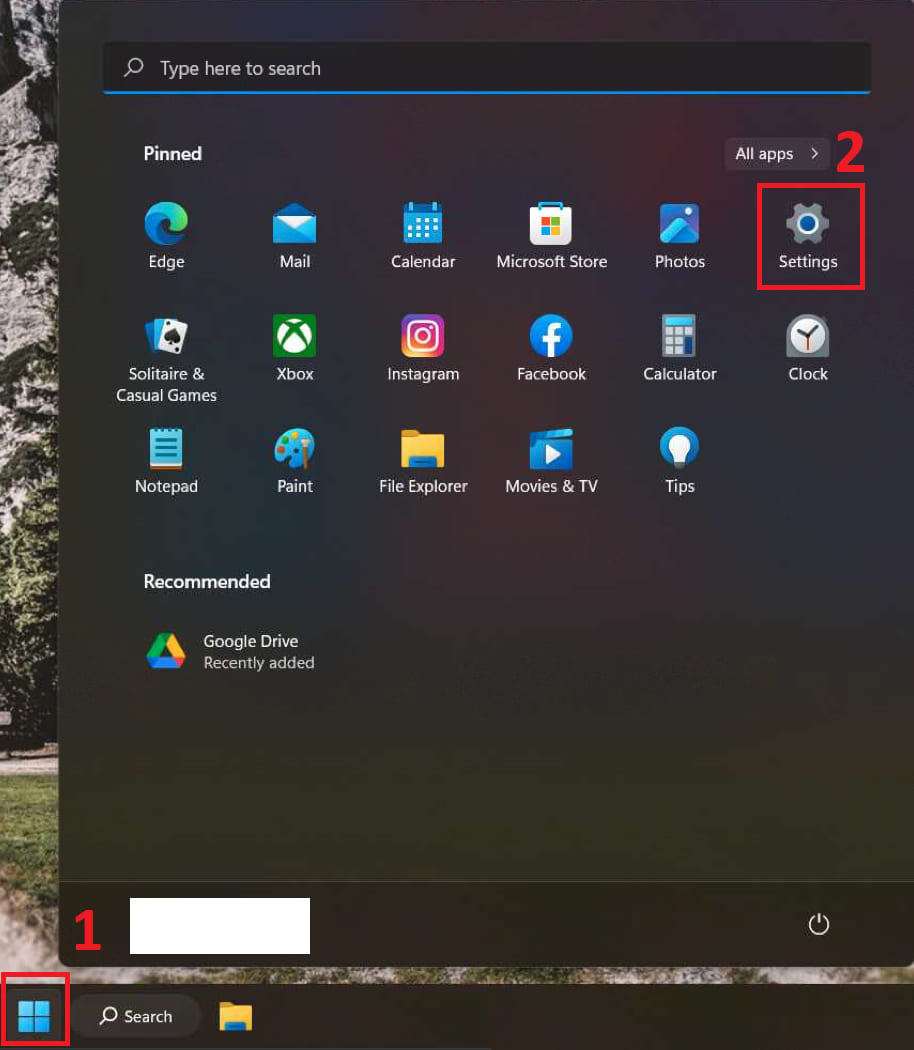
— Open «Start» menu => Settings
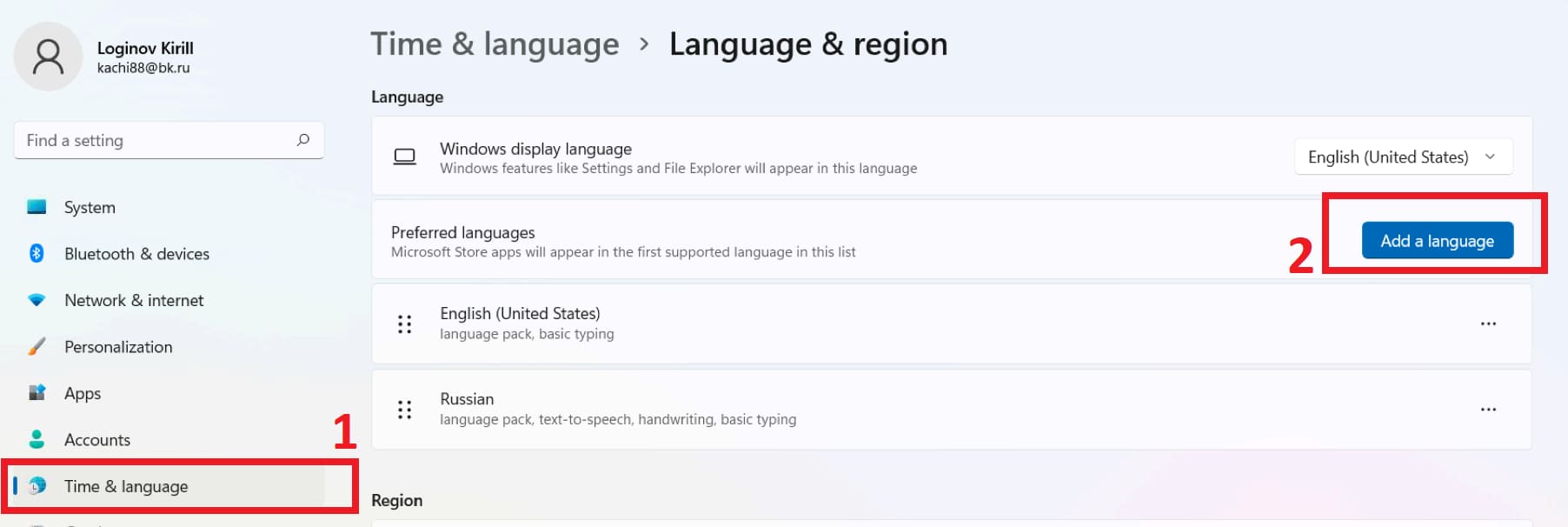
— In the «Time and language» tab, click on «Language and region» => Preffered languages => Add language
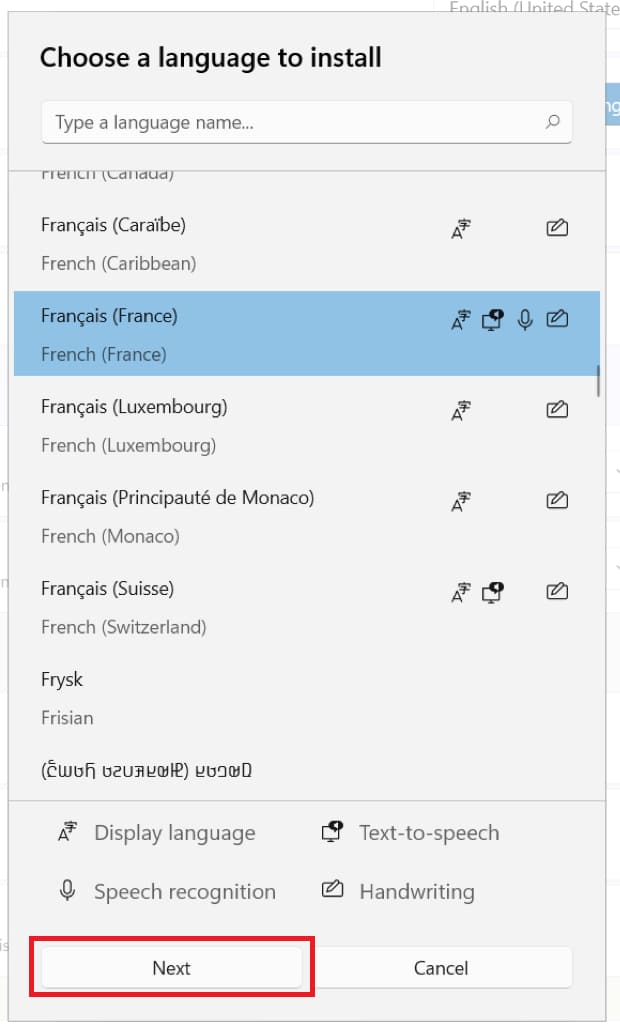
— Select the language you need and then click «Next».
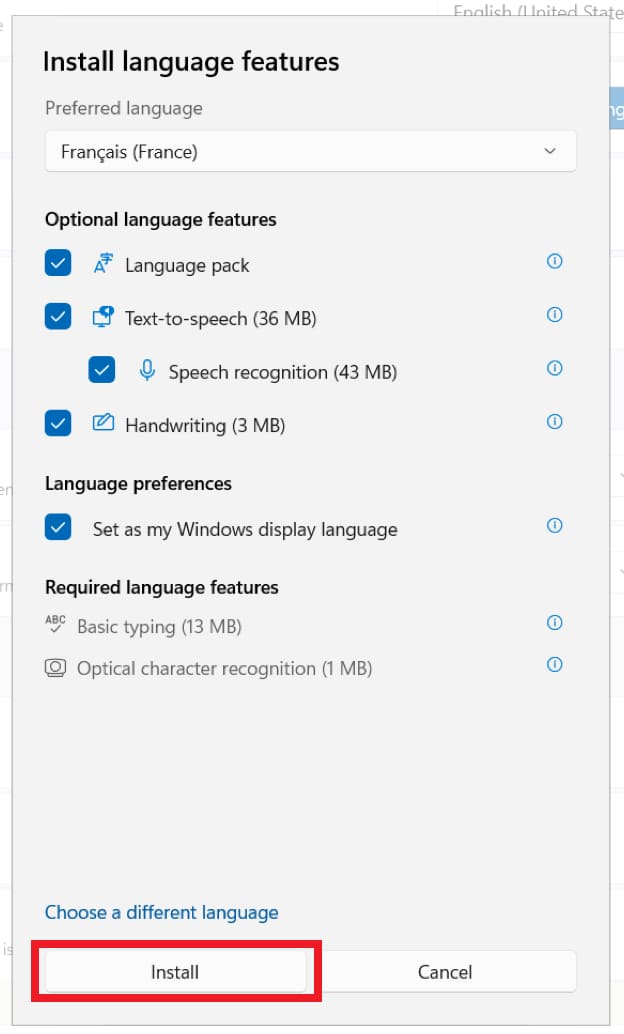
— Mark all the items with checkboxes and click «Install»
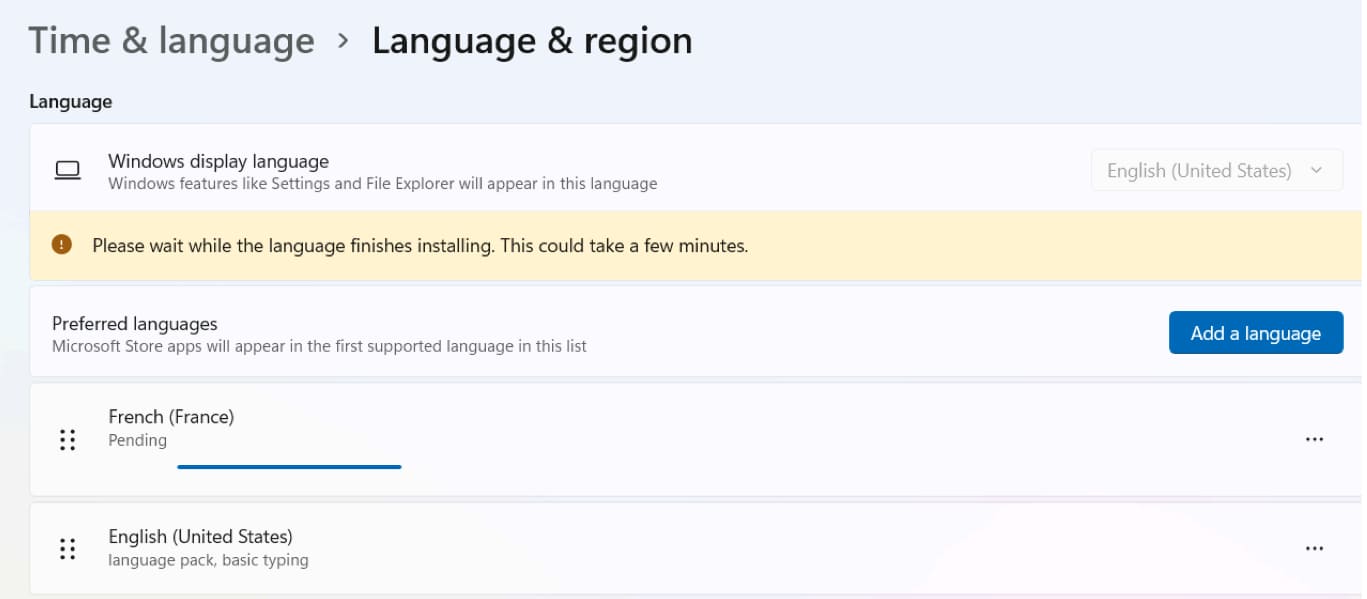
— Now wait for the language to be installed.
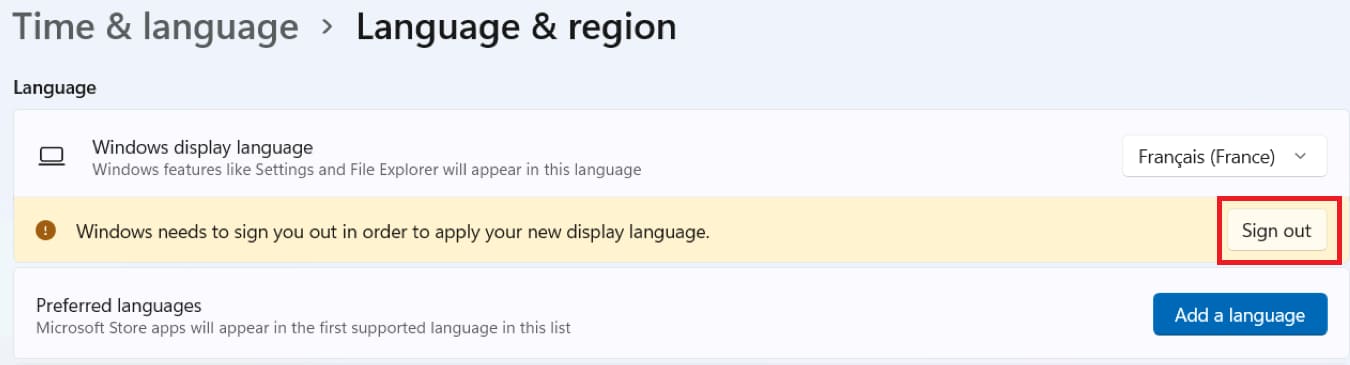
— To apply the language change, you need to log out and log in again. Click «Sign Out»
— After re-logging in, the new language will be activated.